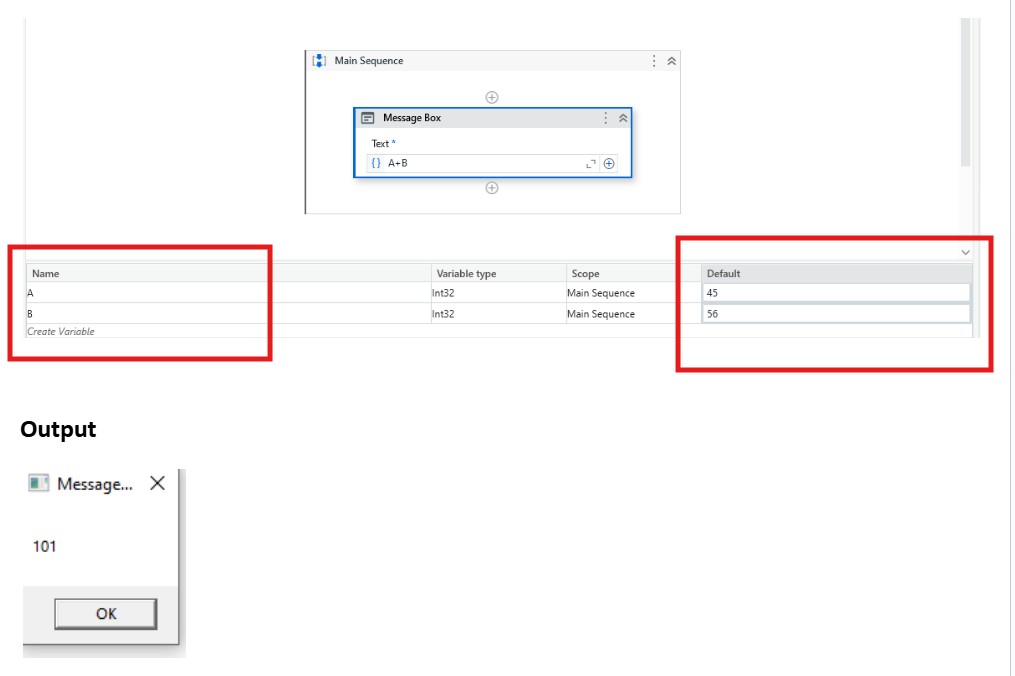
In UiPath, variables are created in the Variables panel and you can assign a default value directly. Here’s how:
✅ 1. Create a Variable
There are two ways:
Method 1: From the Variables Panel
-
Open your workflow (e.g., sequence, flowchart).
-
At the bottom, click the Variables tab.
-
Click Create Variable (or press
Ctrl + Kinside an activity field). -
Set:
-
Name (e.g.,
myText) -
Variable Type (e.g.,
String,Int32,Boolean, etc.) -
Scope (where it can be used)
-
Method 2: Using Ctrl + K
-
Click a property in an activity (like Input or To).
-
Press Ctrl + K
-
Type a variable name → UiPath will auto-create it.
✅ 2. Assign a Default Value
You can add the value while creating or after:
-
In the Default column of the Variables panel, enter the value.
-
String →
"Hello" -
Integer →
10 -
Boolean →
TrueorFalse -
DateTime →
NoworNew DateTime(2025,1,1) -
Array/List →
{"A","B","C"}
-
Example: